***Update! 1/4/14***
I found a better way to format this. More links can be found on this post: http://samanthaleewalker.blogspot.com/2014/01/inlinkz-for-samantha-walker-silhouette.html Plus, there is a way to add your own Samantha Walker Silhouette file tutorials to the link up grid--look for the blue button at the bottom of the post.
Hello Silhouette Cameo and Portrait users! Thank you for purchasing my designs! I really appreciate your support over the years. As a "thank you," I have assembled this article of links to help you find some of the tutorials put together by me and my creative team. This list contains tutorials that may not already have direct links associated with my corresponding files in the silhouette store. Please know that this list may grow over time as well as I try to match up files to tutorials, so bookmark or "pin" this page and check back often. I hope that by having a list in one place, it will make it easier for you to find them, and perhaps help you discover new files that you may have missed in the store.
If you are wondering why not all of my projects have links or tutorials, please understand that when I first started licensing designs to Silhouette in 2009, the Silhouette online store was a small beta project. I did not know that it would grow into a massive creative outlet for my designs. I also did not own a Silhouette machine at that time (gasp...not many of the Silhouette artists did;) just like I did not own a sewing machine when I started licensing my designs to Riley Blake for fabric.
You see...I'm an art licensor, and I license my designs to many manufacturers, and Silhouette is just one of the manufacturers that I license to. Without a Silhouette machine, I could not create tutorials for my designs, and naturally kept my designs more simple. Later, I desired to create more complex projects, as some of you may have noticed, that I really enjoy detail and challenging designs. So I put together a creative team to help me demonstrate some of these projects. As a result, I have had the opportunity to work with many creative crafters and love seeing how they use my designs. My team has been truly inspirational to me, and I hope that they have inspired you too.
Eventually I did buy a Silhouette machine when they came out with the Cameo--I couldn't resist, and can't hide the fact that I love it! Over time, I have learned how to use it, and it is so much fun! The biggest benefit of having a machine and designing files, is that I have been able to create more intricate 3D designs which require testing and tweaking to make them right. These more intricate designs, particularly the 3D ones, may require assembly instructions, so I want to make sure that you can find instruction for these more challenging projects. Please note that you will not find links for every file that I have in the Silhouette store. Providing tutorials is something that some of the licensing artists do on their own accord in order to assist Silhouette customers with more challenging projects--we do it because we like you. I also do it because I want you to find success with my designs, and discover new ideas!
Some of the assembly tutorials may also have tips and tricks for using the Silhouette Studio software. I am often asked questions about how to use the Silhouette software, and must admit, that I'm not an expert at it, as it isn't the program that I use for designing. I use Adobe Illustrator because it has all of the functions that I need and integrates with the other Adobe programs that I use for designing different products. I only use the Silhouette Designer edition of the software when cutting designs. (Please note: the Designer edition of the Silhouette Studio software allows you to cut SVG files--the file extension that I use when saving things in Illustrator. The basic version of the Studio software, that comes with your Silhouette machine, does not cut SVG's. The designer Edition is quite reasonable.) So the Studio tutorials that I have on my blog are more of a courtesy. For the most part they are geared more toward the basic functions that you might use when cutting a design: like help with ungrouping, determining blade depth and speed settings, copying and pasting, moving a design, and shrinking designs to fit within the cutting area. With that said, I do know that the Silhouette studio software is an excellent tool from what I've seen others do with it. It is capable of much much more than what I will show you here, for those of you who want to try your hand at creating or manipulating your own designs. For further help with the Silhouette software, please consult the Silhouette manuals, Silhouette customer service, or visit the Silhouette blog. The Silhouette Blog is an AMAZING resource for help with discovering the capabilities of the Silhouette software. There are also many amazing bloggers and Youtubers online that have some fantastic tutorials that demonstrate some of the advanced features of the software. The internet is rich with experienced users.
Okay...now for the list with links to assembly tutorials or ideas of how to creatively use files. Some of these tutorials are found on my blog and others are found on past and present SW Creative Team Member blogs. After you click on one of the links below, you may have to scroll down the blog post for the tutorials as they may have been posted with other promotions or projects that appear first on the link. Some tutorials have multiple links to them as they use multiple files.


link: Design ID #27762, Design ID #7318 Design ID #34717


Design ID #43716 Design ID #42056


Design ID #42135


Design ID #8209, Design ID #24609 Design ID #39720

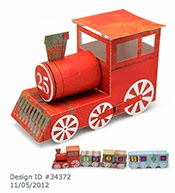
Design ID#27472, Design ID #27477, Design ID #27474 Design ID #34372


Design ID #37607 Design ID #39476, Design ID #25471


Design ID #3198, Design ID #27016 Design ID #37584


tutorial: Live Laugh Love Box Card tutorial: 3d Hat box


Design ID #32476, Design ID #37993 Design ID #33023


Print and Cut Gingerbread house tutorial tutorial: 3D Box Heart Handle
Design ID #32428 Design ID #26979, Design ID #8081


Design ID #26981 Design ID #34295, Design ID #34308


Design ID #32816, Design ID #32440 Design ID #27657

tutorial link: XO bag
grouping and ungrouping
Design ID #37991
Using Pens in your Silhouette:


Design ID #47045 Design ID #40126, Design ID #11995
Adding and Subtracting parts:


Design ID # 39721 Design ID#42322 Design ID #8219


Design ID #32817
Inspirational uses:


Design ID #47249 Design ID #44143 Design ID #42031


Design ID #43819 Design ID #44014 (misting stencil technique)
Design ID#38654


Design ID #27019


Scalloped Dot Fringe Classic Car Card
make a flower with it! Design ID# 10369
Design ID #4679
Design ID #27019


Design ID #34267 Design ID #34698, Design ID #33524
Print and Cut:


Design ID #34284 turn design into a print and cut
Design ID #12193