Ads 468x60px

Showing posts with label flowers. Show all posts

Sunday, March 23, 2014

Pop-up Flower Tutorial with Tonya

Tonya here with my first Guest Designer post for Samantha Walker Designs.  
I am excited to share my ideas and projects with you.   
While looking at other crafter's blogs, I came across a flower pop up card, and thought to myself - 'I would love to be able to make that!'  As I scrolled through the post, I saw the picture of a lily version.  Lilies remind me of my parents.  Lilies are my mother's favorite flower; and my daddy used to send Easter Lilies to me and my sisters every Spring, before his passing in '98.  I knew I wanted to try my hand at a lily version, of my own. 
The instructions in the post show how to cut an 8 petal flower with a die cut machine (she provides a free file), then hand cut to make a 7 petal flower.  Her file provides a rounded petal flower...and I wanted a lily like flower.  I figured I could create a file with my Silhouette software to fit what I wanted.  
With that in mind, I headed to the Silhouette Store to look through Samantha's files.  I did not find a flower file that perfectly suited my needs.  So I thought I could adapt/create one. 
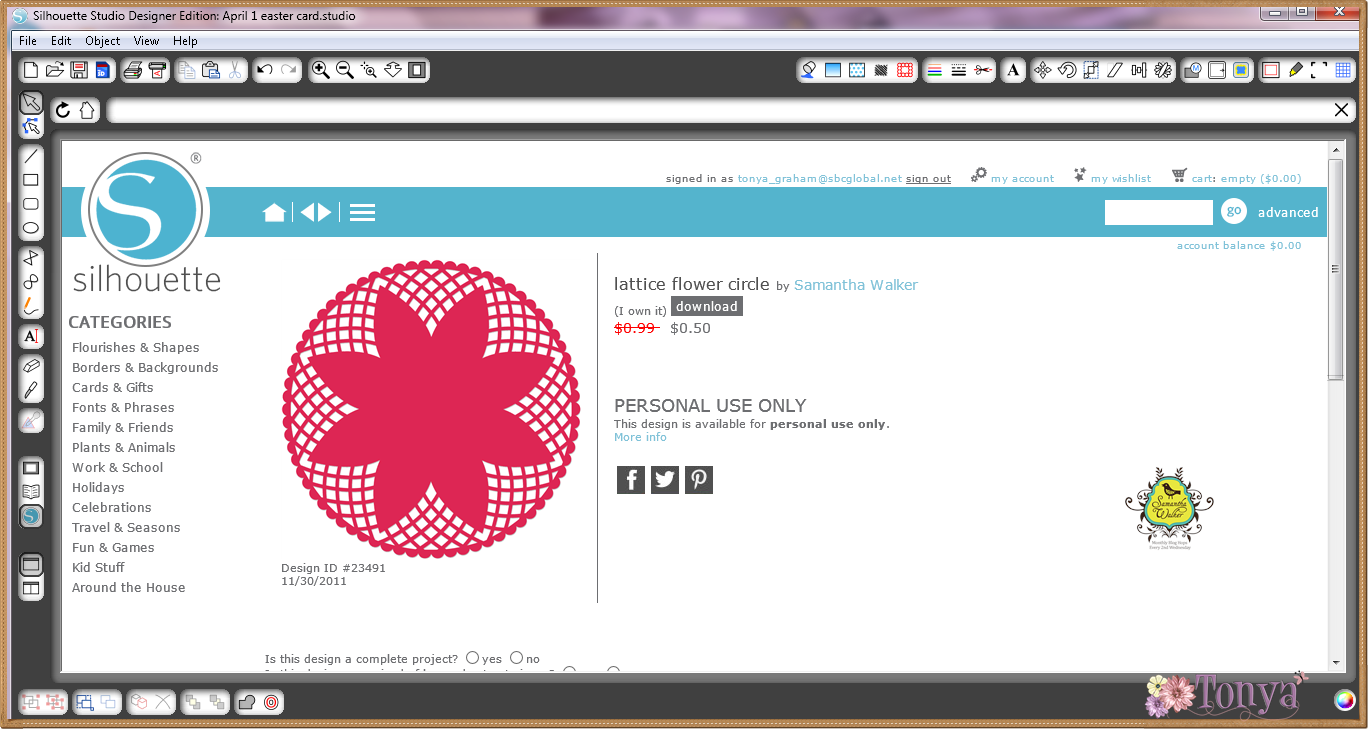
 Samantha's Lattice Flower Circle file (#23491)  worked nicely as a starting point. 
I created an internal offset for the flower outline.  To do this, I highlighted the image and clicked on the offset icon (upper right).  I put the offset distance as 0.150.  This created a more pointed flower petal (closer to a lily petal) and moved the offset away from the image so that it was easier for me to drag it away from the base cut file. 
   
 Next, I moved the offset away from the base file, and deleted the original image. 
  
For the flower, I needed 7 petals, and this one had 8.  I used the knife tool to cut away one petal.  I lined up my curser so that the crossbars were centered between the top and side petals to find the midpoint of the flower, and 'cut' from the center out.

 Next, I created score lines between the petals for folding.  I used the same method as the knife tool above, drawing dashed lines from the center out between each petal.    

To keep the pieces together, I highlighted all the parts and grouped them. 
Since these were to be lilies, I needed some stamens.  I used a stamen (top) from Samantha's Hawaiian Hisbiscus Flowers (#4170).  

All I needed to do was duplicate the flowers to the number needed for the card (7 total), and size the stamens accordingly. 

*Note* - there are 14 stamens in my file, instead of 7.  This is just in case a couple do not cut cleanly or I make a mistake/rip one while embellishing the stamens.  
The stamens are not yellow in the original file.  I tend to 'color' my pieces so when I cut them out, I have a visual reference. 

Here are my flowers - one assembled (center) and 6 unfinished.  The flowers were dry embossed for detail.  I cut the stamens out of the same white cardstock as the flowers.  They were colored with a Wild Honey Distress Marker mixed with water and highlighted with yellow Stickles


Saturday, January 25, 2014

Making Vintage Layered Flowers Using 4 Flower Pack

Hello there, Samantha Walker friends!

It's Pinky here, today, with a tutorial on making vintage style flowers 
using the 4 Flower Pack from Samantha's designs in the Silhouette Store!
 You might not instantly think of making layered 
vintage flowers but they are so easy to do...and let's not forget to mention fun as well! 

Click the file and UNGROUP. 
(This is found under Object, and is visible when you have something selected.)
Drag out 2-3 of the flower designs. 
 Copy and paste the flowers you want to use. 
(You can find this in the Edit menu, or you can use "command C" to copy and "command V" to paste if you are on a Mac. Use "Control C" and "Control V" on a PC.)
Shrink some of the flowers to create different sizes. 

Now that everything is cut, here's how you layer the flowers:
Fold flowers beginning from center- (pleating them).
Scrunch middle together and hot glue
Starting with smaller flower- nest into next size up using hot glue
 Nest them 2-3 layers deep. 
Using hot glue- add a button to the center of each flower. 
Thread beads on wire and bend them around to make sprigs.
 Adhere to card or box or any project that needs that special floral touch!
I hope you think outside of the box with Samantha's amazing files!

Until next time- Keep on creating. 

Here are some supplies to recreate the same look in Cristal's fabulous project:
   

Thursday, November 29, 2012

Silhouette Sale...Final Days!

Have you had a chance to shop the 50% off sale at the Silhouette Store!
The sale runs until Friday, 11/30 at midnight!

We thought it would be fun to feature some of Samantha's older files!  
Simple click on the image to find it within her Silhouette Store!


And I just have to share some of her newer files that hit the store today...

and some of her most popular files!


Hurry...this sale ends Friday, 11/30!

Friday, October 05, 2012

"3 Part Layering Card" Tutorial by Karen Maldonado

Hi there! It's Karen here, sharing how to make a beautiful layered card using Silhouette dies, and Paris Girl designer papers & stickers...all designed by Samantha!


Here's the list of all the supplies we will use on our project today!


Supplies (designed by Samantha Walker):


Additional supplies:
* Black Card Stock
* White Card Stock
* Self Adhesive Crystals
* Pop Dots
* Adhesive Runner
* McGill Paper Blossom Tool Kit (use to add dimension to the flower)

So, let's begin, as I take you through this 3 Part layering process...

Part 1 Layering -
- Take black card stock and cut a card base 10.5L x 5.25W.  Fold in half lengthwise.
- Cut a 5L x 5W square piece of grey designer paper.
- Using your Silhoutte machine: Cut the Ornate Frame from black card stock (4.795L x 4.790W)
   and pink designer paper (4.625L x 4.620W).
- Layer as shown in photo (bottom to top).


Part 2 Layering -
- Using your Silhouette machine: Cut the 10 piece Circle Stamp from white
  card stock (2.875L x 2.875W) and grey designer paper (2.610L x 2.610W).
- You will also use white card stock to cut a Silhouette Doily Lace (2.440L x 2.435W).
- Layer as shown in photo, using pop dots underneath the stamp layer, and    
   flower/sprig for added dimension.


Part 3 Layering -
- From the black polka dot designer paper, die cut the sprig part of
   the 3 Flower Sprig die set (2.935L x 2.075W).
- Finally, die cut the 3D Layering Flower.  You can use the McGill tool to add some dimension to the
   backside of your flower. You will layer the flower and add an adhesive crystal to the center of the flower.
   add pop dots to back of the flower/sprig.
- Take the "you are sweet" sticker from the Element Sheet.  Add pop dots to the bottom.
- Using your Silhouette machine: Cut the Butterfly die (1.040L x 1.115W).  Add two smaller
adhesive crystals to the center of the butterfly.  Add a pop dot to the back of the butterfly.
- Assemble these last three pieces as shown in photo below.


Now the fun part..time to adhere it all together!  I additionally added some more pop dots underneath the black part of the ornate frame, and added some machine stitching to the grey square piece before adhering to the card base.  Here's what the final card will look like using all these gorgeous products!!


I hope this will inspire you to create using your Silhouette dies, using the Paris line or any other collection designed by Samantha... layering all different kinds of dies!!  I just truly adore the color palette! Just mix and match to your hearts content!

Until next time... have a fabulous day!

Hugs & Smiles,

Friday, May 04, 2012

Decorated 3D box heart suitcase by Karen

Hi there!  Karen here, and I have a Mother's Day project to share with you today!  I thought I'd show you how to quickly decorate one of Samantha's NEW 'gorgeous' 3D Silhouette box dies!  There are lots of 3d dies to choose from, but this one truly caught my eye with all the heart cut-outs!

It's quick and simple to decorate, and it surely makes for a wonderful presentation and great way to tuck a sweet gift inside!  Look at all those hearts!!  So, let's get started...


1. Choose three different colors of card stock (for suitcase, flower, and leaves).  I chose to work with a heavier card stock to give weight to the suitcase.
2. Using your Silhouette Die Cutting Machine, cut these files from your card stock:
Hint:  I use this setting, when using heavier card stock: Speed - 3; Thickness - 33;  Blade - 3 
3. Assemble the 3d heart suitcase. Set aside.
4. Assemble the 3d layering flower. Add a beautiful brad (or button, gem, whatever) to the center! Adhere the flower to the suitcase.
5. Tuck, fold leaves using your fingers, and adhere the stems beneath the layered flower! You'll notice I've added a small chain and key that I thought would really compliment this sturdy heart suitcase!!


Your're all set!  Just need to fill this beauty up with a sweet gift for that someone special!!  Personally, I'd like to see a piece of Brighton jewelry in there!  What do you think?

Be sure to check out the rest of the Samantha's Silhouette die cutting files in the Silhouette on-line store because there are new files being added all the time!

Have a fabulous day!

Hugs & Smiles,

Monday, February 27, 2012

New This Week! February 27, 2012

Happy Monday Everyone!  
 New this week at Samantha Walker's Silhouette die cut store

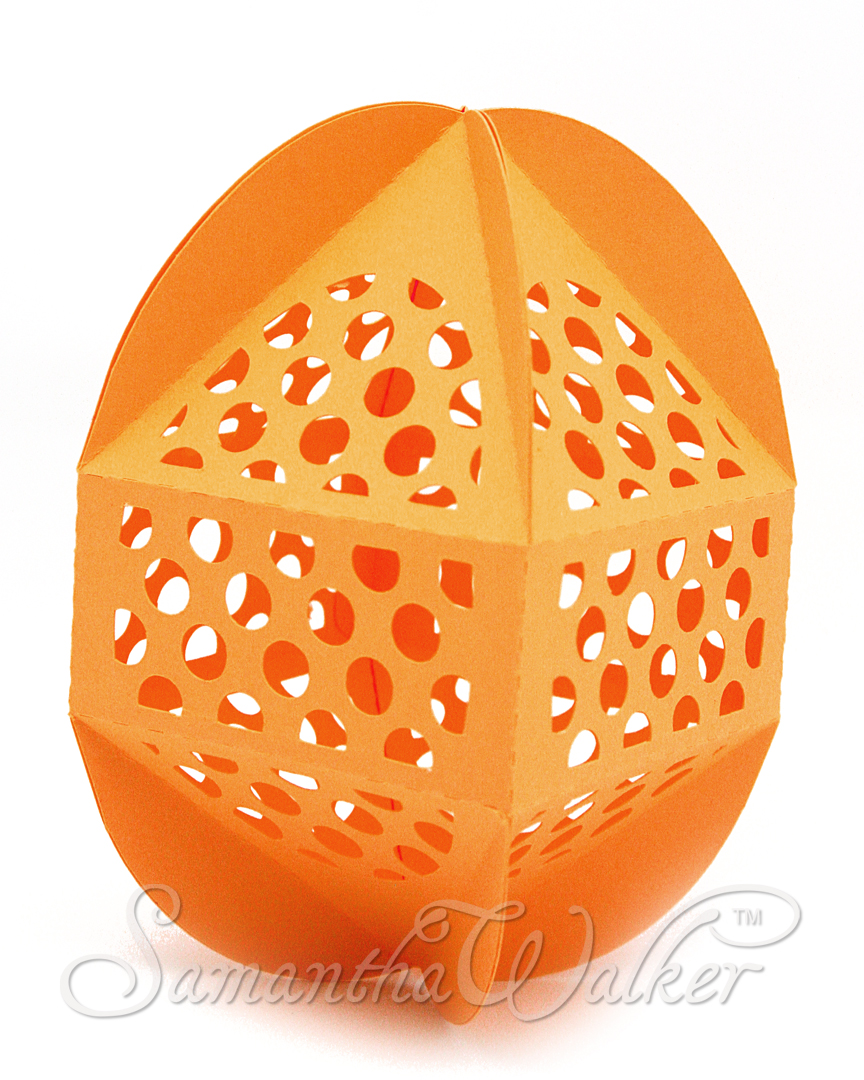
Decorative Eggs!


 Also new this week at  Samantha Walker's Silhouette die cut store
Nested Shapes!

  
Layered Flower


Lace Borders


and Lace Square!


Please note, designs may not be up in the store at the beginning of the week, but they have been uploaded to the queue.  Watch for them as the queue rolls out the new designs!
Related Posts Plugin for WordPress, Blogger...